Real app screens, captured on an iPad simulator connected to a working Home Assistant home.
Everyday control
The rooms you already organized. A better way to use them.
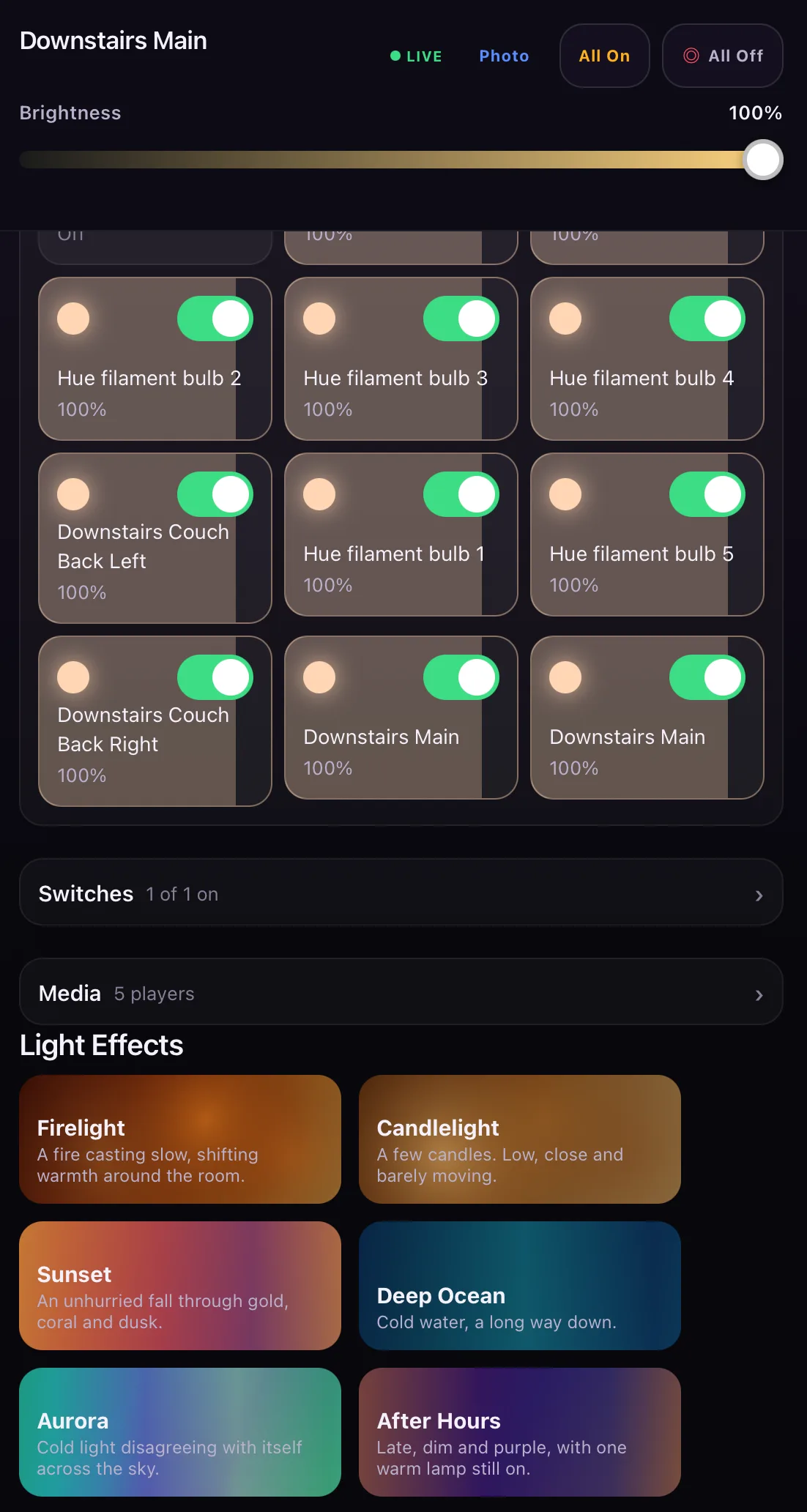
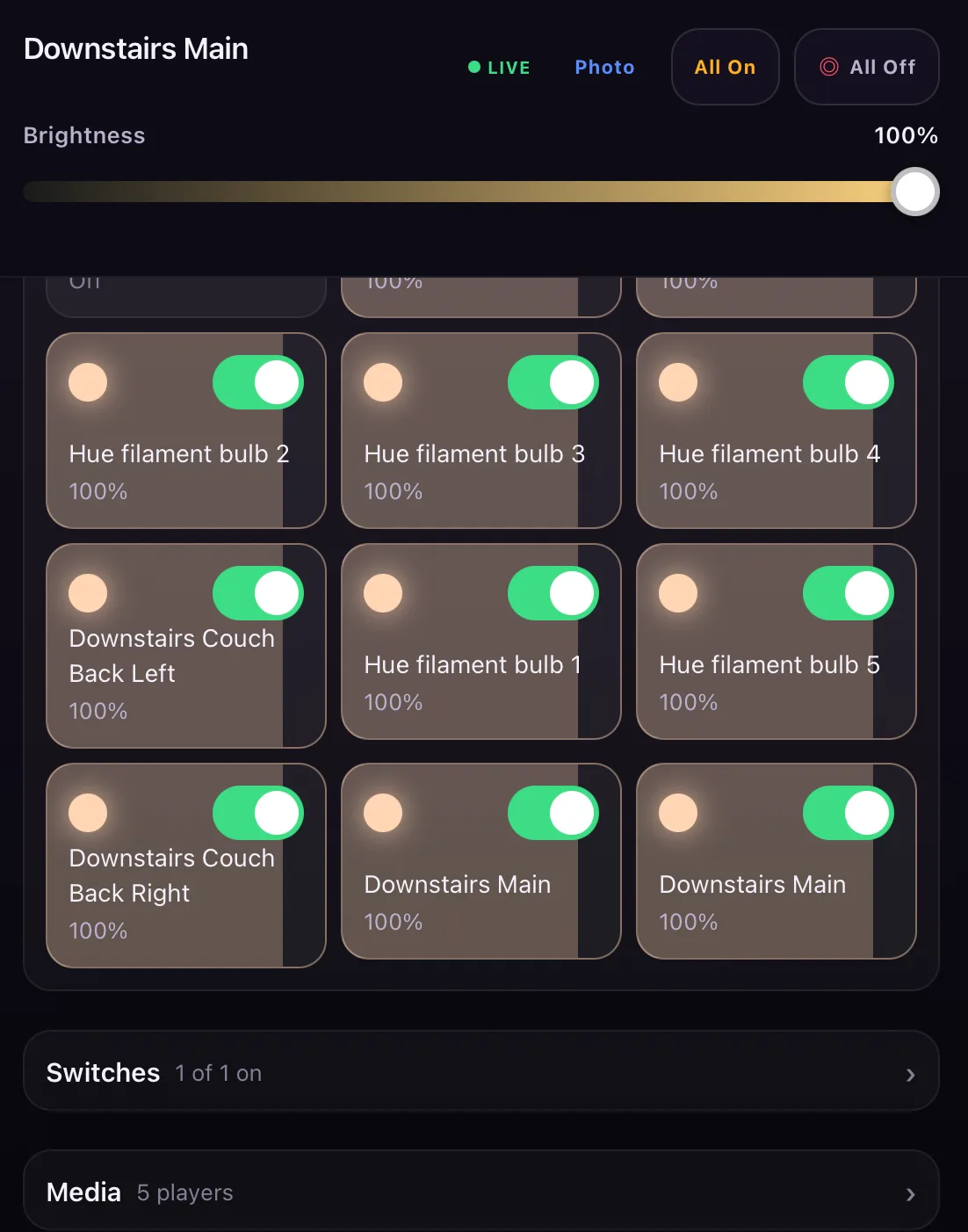
Home Dashboard reads your rooms, floors and devices from Home Assistant’s own areas and registry, so there is nothing to set up twice. Each room opens to its lights, switches, scenes, media, covers and climate, with All On, a master brightness and a hold-to-confirm All Off.
Room groups. Save “Upstairs” or “Downstairs” as a group with its own page, lights and scenes.
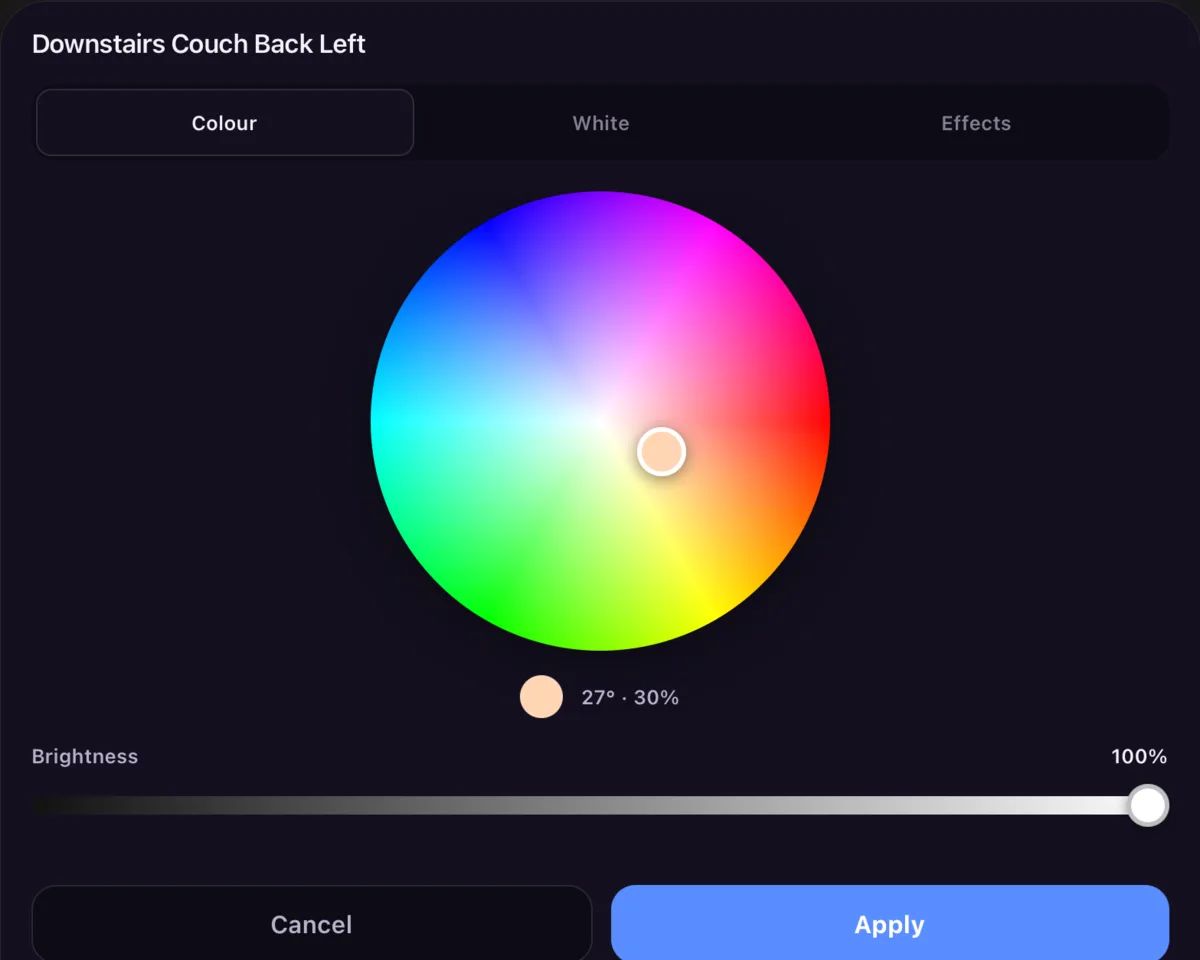
Controls that match the device. Colour, white temperature and a bulb’s built-in effects appear only where the light supports them.
Big, touch-first targets for a panel you use standing up, with idle dimming and automatic reconnection when the network or Home Assistant restarts.
What appears depends on the devices and integrations in your Home Assistant setup.
Atmosphere
Give every room a different atmosphere.
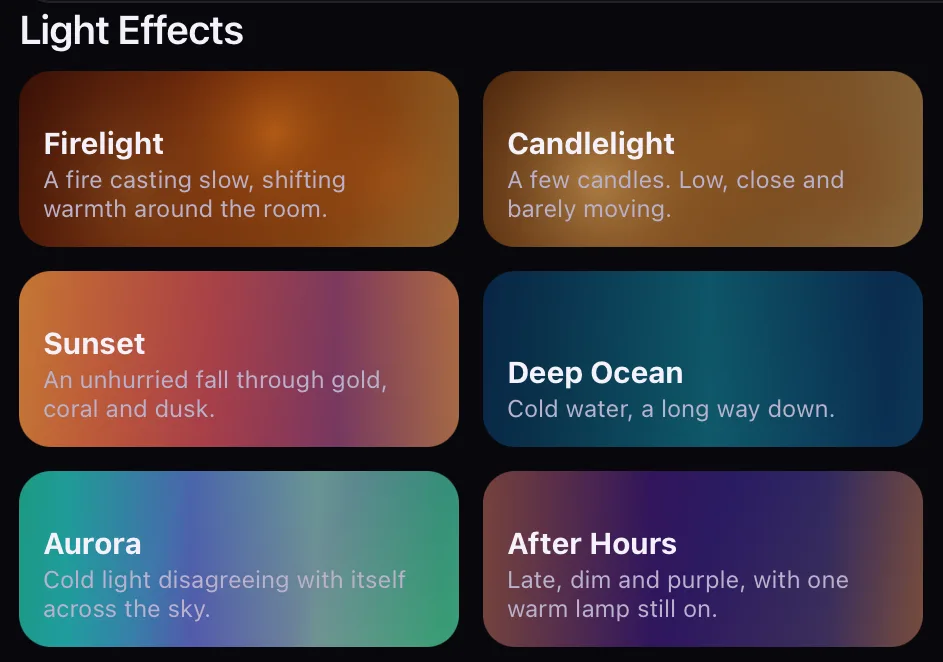
Six animated lighting effects for a room. Tap one to start it; tap it again to stop.
The Light Effects grid as captured. No effect was running.
FirelightA fire casting slow, shifting warmth around the room.
CandlelightA few candles. Low, close and barely moving.
SunsetAn unhurried fall through gold, coral and dusk.
Deep OceanCold water, a long way down.
AuroraCold light disagreeing with itself across the sky.
After HoursLate, dim and purple, with one warm lamp still on.
Keeps going when the iPad sleeps
Each effect is saved to Home Assistant as a looping script, so it keeps running when the app closes or the iPad sleeps, as long as Home Assistant and the lights stay available. You can start it from your own automations too.
Uses what your bulbs can do
A bulb with a matching built-in effect, such as a Hue “fire” or “candle” effect, runs its own; other colour lights run the generated animation, with gentle transitions so your network isn’t flooded.
Doesn’t fight you
Running a scene, All Off or a voice command stops the room’s effect first. Stopping an effect the app started puts the room back the way it was.
Per-light control: colour wheel, white temperature, and the bulb’s own effects.
Effects work on a single room’s colour lights (up to 32), not on room groups. They aren’t synchronized to music, and there is no custom effect editor yet.
Scenes from a picture
Find a mood in a photo. Bring its palette to your lights.
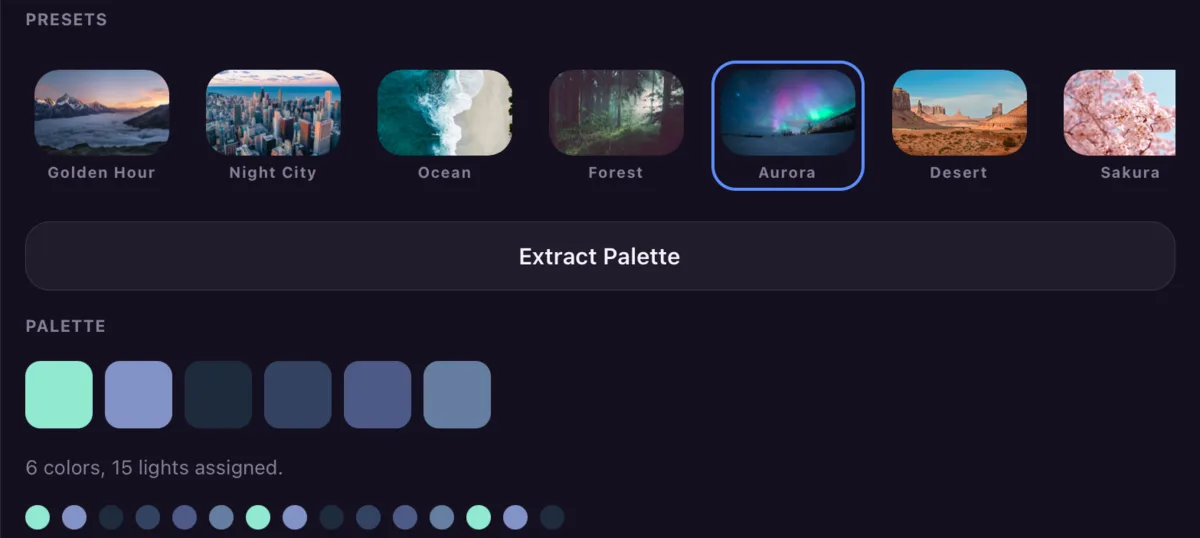
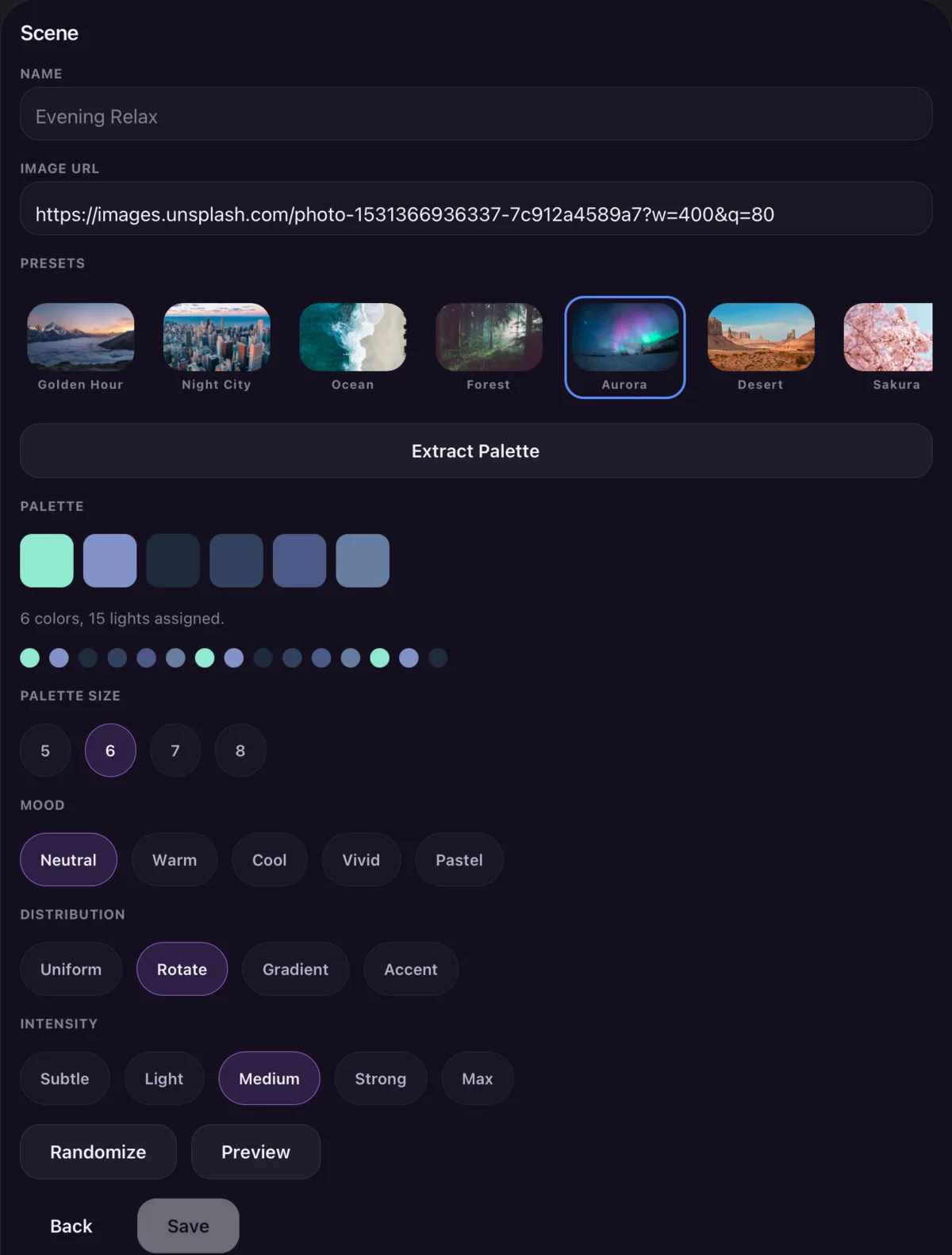
Pick one of the built-in photo moods, such as Golden Hour, Night City or Aurora, or paste an image link. Home Dashboard takes a palette from the picture and spreads it across the room’s colour lights. Choose how many colours, a warmer or cooler mood, how they are distributed and how strong they are, then preview on your own lights and save, or revert.
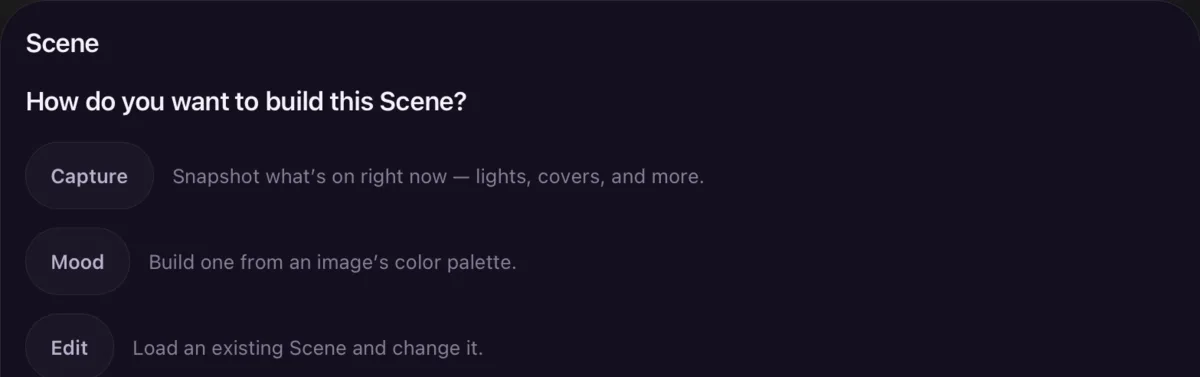
Capture what’s on right now, in one room or several.
Mood builds a scene from an image’s colours.
Edit opens an existing scene with its stored settings.
Scenes are saved as ordinary Home Assistant scenes. They survive restarts and stay editable in Home Assistant’s own editor.
The palette comes from colour analysis on the iPad, not generative AI.
A palette taken from the Aurora preset. For this capture it was not previewed on any lights.
Modes and routines
Make everyday moments one tap away.
Modes are screens you set up for an activity, like Movie Night: artwork, a Start button that runs the scene or script you choose, one-tap controls, and an optional Now Playing panel. Opening a mode doesn’t run anything; Start does.
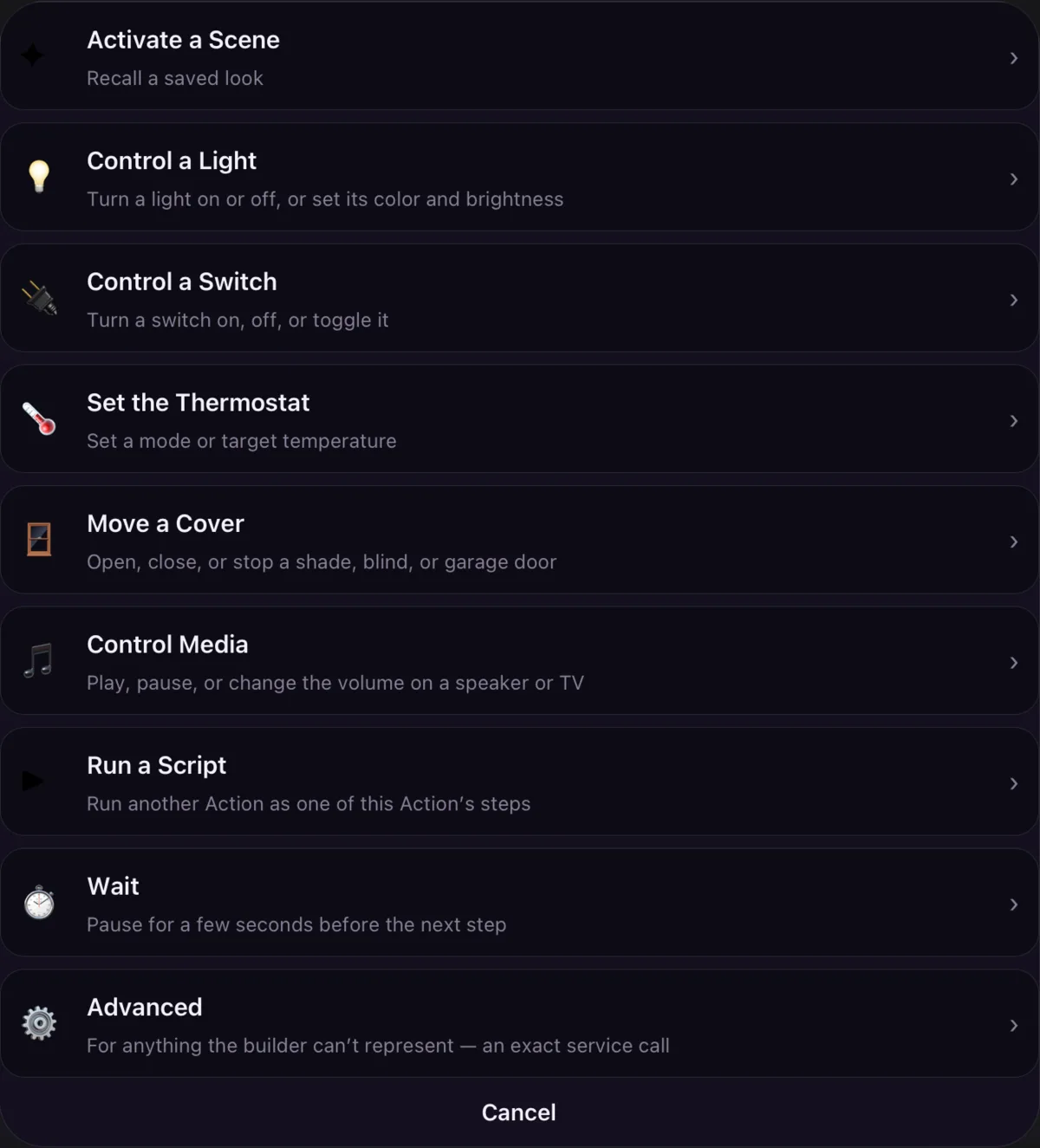
Actions are multi-step routines built from scenes, lights, switches, the thermostat, covers, media, other scripts, waits, and an Advanced step for any Home Assistant service. They are saved as ordinary Home Assistant scripts, so your automations can run them too. An Action that unlocks a door, opens a cover or garage, or disarms an alarm asks for press-and-hold first.
Pin scenes and scripts to the Home screen, and point Welcome, Relax, Movie Night, Party, Goodnight and All Off at your own scenes or scripts.
Modes and Actions start empty: you set them up for your home. A mode doesn’t stay active or restore the previous lighting when you leave it.
The Action Builder’s step picker.
Music and TV
Choose what to play, then where to play it.
Browse and search the catalogs your Home Assistant media players expose, such as Plex, Home Assistant’s media sources, or a Spotify integration that supports browsing. Then pick a speaker or TV: only the players that can play that item are offered.
Now Playing shows the player, transport, volume and mute, with input switching for TVs and soundbars. Each iPad can default to the players in its own part of the house.
Sources and controls depend on your Home Assistant integrations and players. Home Dashboard doesn’t include a streaming service or accounts of its own.
For the people at home
Voice, guests and more than one display
Say a room, a scene or a group.
Say the wake word (“hey home”, or one you add) or tap to speak while the app is open. Commands are matched on the iPad against your own room, group and scene names: “living room lights to 40 percent”, “turn off the dining room lights”, “movie night”.
If a name matches two scenes, it asks which one, out loud, instead of guessing.
Speech recognition is Apple’s; whether it works offline depends on the iPad. Apart from that question, replies are shown on screen.
A simpler panel for guests.
Guest Mode shows lights, scenes, music play/pause and the house information you enter: Wi-Fi, contacts, bin days and tips. Locks, garage, climate, scripts and owner settings aren’t shown, and an optional PIN returns to the owner view.
Guest Mode is a restriction inside the app, not a security boundary. To lock the iPad to the app, also use iPad Guided Access.
Different iPads, different rooms.
Each iPad is a display with its own name, the rooms it shows (chosen with Home Assistant labels), idle-dim timeout and preferred media player. Modes, groups and party controls are stored in Home Assistant, so a second iPad sees the same setup.
Sharing a layout needs every iPad signed in with the same Home Assistant user. One Home Assistant server per app; no separate per-person accounts.
Party and DMX Optional hardware and setup
For homes with a little more stage lighting.
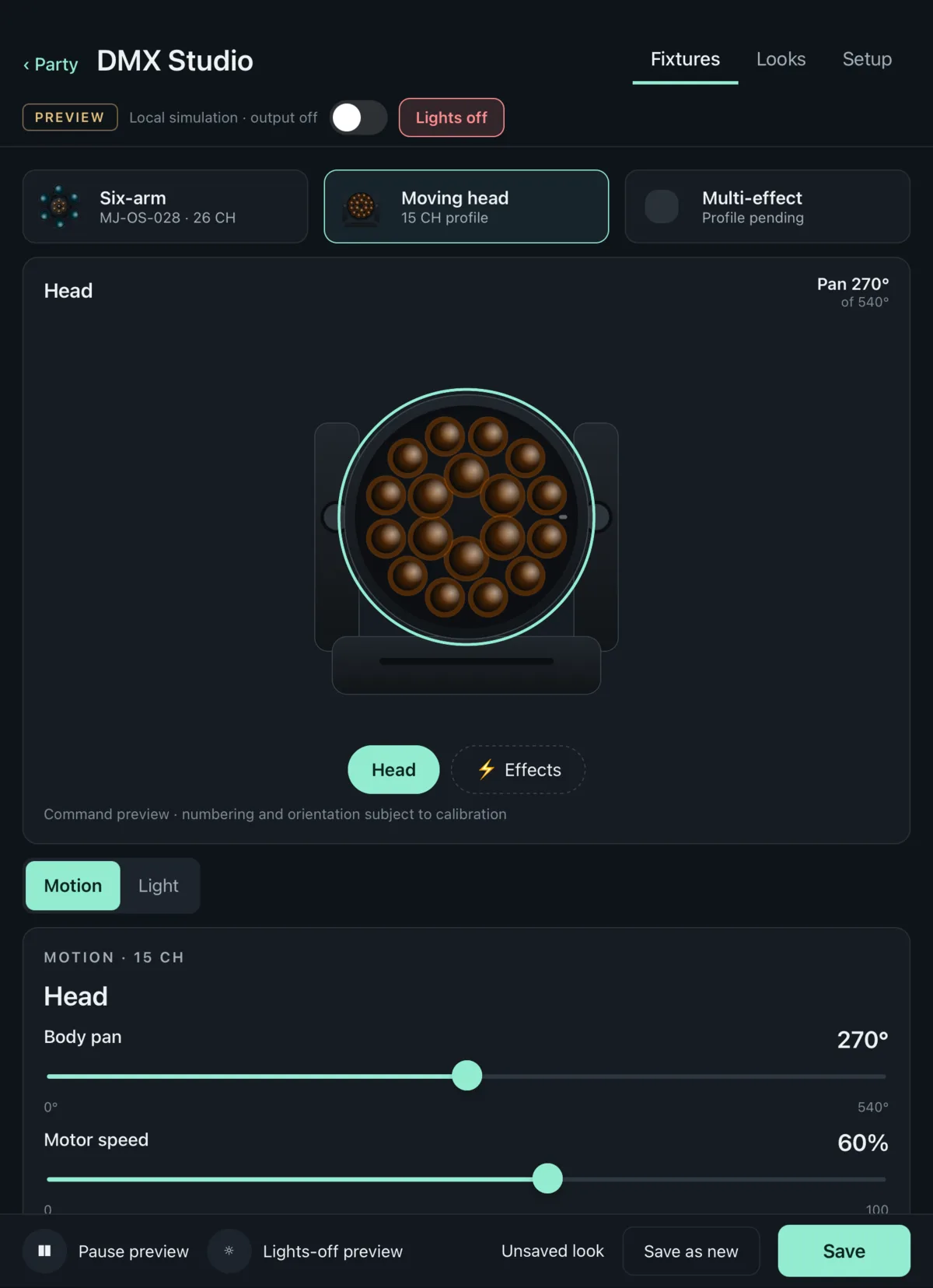
If your Home Assistant drives DMX lighting through Art-Net, Party mode adds vibe presets (Chill, Neon, Full Send and Slow Fade), a one-tap Blackout and your party scripts, with each script’s running state. DMX Studio lets you aim and colour a supported moving head, then save and recall looks on that iPad. Nothing reaches the fixture unless its live-output switch is on.
It needs:
compatible fixtures and an Art-Net to DMX interface;
an Art-Net integration in Home Assistant;
the fixtures labelled in Home Assistant, so the app knows which they are.
Six-arm fixtures are preview-only in DMX Studio. A fog machine, if you configure one, needs press-and-hold or a spoken yes, is refused in Guest Mode, and runs as a Home Assistant script limited to 10 seconds. Without DMX hardware, Party controls don’t appear, and you don’t need any of it to use Home Dashboard.
DMX Studio in preview: local simulation, output off.
Requirements and setup
What you need
Home Assistant, already working. Your devices set up in it, and the server reachable from the iPad on your network. Home Dashboard adds nothing to an empty Home Assistant.
An iPad. Home Dashboard is designed and tested for iPad.
Connect in the app. Enter your Home Assistant address and an administrator long-lived access token. The administrator role is needed because the app creates scenes, scripts and labels in Home Assistant.
Review and set up. Check what it found, then choose this display’s rooms and set up the modes and actions you want.
This website never asks for your token
Your Home Assistant address and token are entered only in the app on your iPad, which keeps the token in the iOS Keychain. This page doesn’t connect to any home.
Privacy in the app
The app has no account of its own and ships no analytics; it talks to your Home Assistant server. The built-in mood photos load from Unsplash, and speech recognition is Apple’s. Full privacy details will be published with the App Store release.
Privacy on this website
Where this site measures visits, it counts page views and clicks with privacy-first analytics and honours Do Not Track. It never sees anything from your home.
Questions
Do I need Home Assistant?
Yes. Home Dashboard is a control panel for a Home Assistant server you already run, and it needs an administrator long-lived access token. It isn’t a replacement for Home Assistant.
Does it work on iPhone or Android?
It is built and tested for iPad. There are phone layouts, but it isn’t a phone product, and there is no Android release.
Is it on the App Store?
Not yet. The App Store release is in preparation, and there is no public beta. This page will link to the App Store listing once it is live.
Do lighting effects keep running when the iPad sleeps?
Yes, while Home Assistant and the lights are available: effects run as Home Assistant scripts. They work on a single room’s colour lights (up to 32), not on room groups. An effect has to be started once from its room before your own automations can call it.
Does voice need the internet?
Matching what you said to your rooms and scenes happens in the app. Turning speech into text uses Apple’s recogniser, which runs on the device on iPads that support it. Voice works while the app is open; it isn’t Siri.
Can guests change settings or unlock doors?
Guest Mode shows lights, scenes, music and house information only, and an optional PIN returns to owner mode. It is a restriction inside the app, not a security boundary: use iPad Guided Access as well to keep the iPad on the app.
Do I need DMX lighting?
No. Party and DMX controls appear only when DMX fixtures are set up and labelled in Home Assistant.
Which music services work?
Whatever your Home Assistant media players can browse and play. Spotify playlist browsing needs an integration that exposes it (the official one shows nothing while nothing is playing).
Can I use what I build in Home Assistant?
Scenes, Actions and lighting effects are ordinary Home Assistant scenes and scripts, so automations and other voice assistants can use them, and they keep working without the app. DMX Studio looks are the exception: they are saved on the iPad.
What does it cost?
Pricing hasn’t been announced.
Your Home Assistant, made for everyday life.
Requires a running Home Assistant server and an iPad.
Home Dashboard is a native iPad app by Brett Porter, an independent software builder, written in React Native against Home Assistant’s own APIs. About Brett · All products